
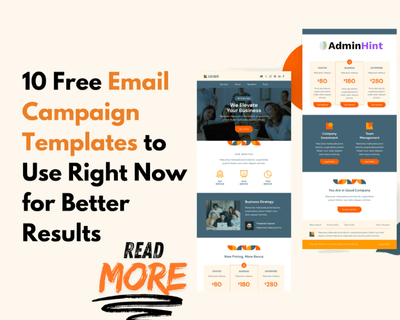

Writing every marketing email from a blank page can turn a five-minute task into an afternoon project. These email campaign templates give you a reliable starting point for welcome messages, promotions, newsletters, events, and customer follow-up. In this guide, you will learn what each format is designed to do, which elements it needs, and how to adapt it without making every message sound identical.
A template is more than a colorful layout. Think of it as a well-marked route: the structure guides the reader, while your offer, timing, and wording create the journey. Used thoughtfully, a template can help your team work faster and deliver clearer messages without sacrificing relevance or trust.
What makes a marketing email template useful?
A useful template makes the next action obvious. It gives the reader enough context to understand why the message matters, then directs them toward one sensible step, such as confirming a subscription, viewing an offer, registering for an event, or sharing feedback.
Before choosing a design, define four things:
- Audience: Who should receive the message?
- Purpose: What should the email accomplish?
- Primary action: What should the reader do next?
- Destination: Where will the link take the reader?
Keep accessibility and mobile reading in mind. Use descriptive link text, readable contrast, meaningful alternative text for important images, and a message that still makes sense when images do not load. If you collect personal information, follow the privacy and consent rules that apply to your audience and business.
1. Welcome email and newsletter design
A welcome email is the first useful conversation after someone subscribes, creates an account, or joins a community. It should confirm that the signup worked and explain what the recipient can expect next. Avoid trying to tell your entire company story in one message.
Include these elements
- A friendly greeting and clear confirmation
- A short explanation of what the subscriber will receive
- One helpful resource or next step
- A clear call to action
- Contact and preference information
For example, a small software company might welcome a new trial user with a button labeled “Complete your setup.” A local retailer could introduce its product categories and invite the subscriber to choose preferred updates. In both cases, the message helps the recipient get value before asking for a purchase.
Newsletter design works differently. A newsletter usually contains several stories or updates, so it needs strong hierarchy: one lead item, short summaries, and links to full content. Use consistent headings and spacing so readers can scan rather than decode the layout.
2. Promotional email and abandoned cart email
A promotional email presents a specific offer, product, service, or deadline. Start with the customer benefit, not a list of internal details. A strong subject line earns attention, but the body still needs enough information for the reader to make a sensible decision.
Build a clear promotion
- State the offer in plain language
- Explain who it is for
- Show important conditions, exclusions, or dates
- Use one primary call to action
- Make the landing page match the email
Imagine an online clothing store promoting free shipping on orders above a stated amount. The email should explain the threshold, show a few relevant products, and lead to a shopping page that reflects the same offer. Sending readers to a generic home page creates unnecessary work and can weaken confidence.
An abandoned cart email reminds a shopper about products left in a cart. It should be helpful rather than pushy. Show the item, preserve the correct product details, and make returning to checkout simple. A discount may be appropriate in some campaigns, but it should not be the only reason someone completes a purchase.
Do not send a cart reminder when the order has already been completed. Check the order status, inventory, recipient consent, and suppression rules before sending an automated message.
3. Event invitation and reminder emails
An event invitation needs to answer practical questions quickly: What is happening, when and where is it happening, who is it for, and how can someone register? This format works for webinars, workshops, conferences, product demonstrations, and community sessions.
Put the date, time zone, location or access method, and registration link near the top. If your audience spans the USA, Canada, and Europe, write the date as “March 4, 2026” and name the time zone instead of relying on a local abbreviation. For an online event, explain whether the access link arrives after registration or appears on the confirmation page.
For example, a nonprofit hosting a virtual information session could use this simple order:
- Describe the problem the session will address.
- Introduce the speaker or host briefly.
- List the date, time, length, and access method.
- Add a “Register now” button.
- Explain what happens after registration.
Send a reminder only when it provides useful information, such as the access link, parking instructions, preparation notes, or a calendar option. After the event, use a separate follow-up message for the recording or next step rather than crowding the invitation with every detail.
4. Survey and feedback email
Feedback requests perform better when recipients understand why their opinion matters and how much effort the request requires. Keep the explanation brief and make the survey link easy to find. If the survey takes longer than a few minutes, say so honestly.
Use a respectful feedback structure
- Thank the recipient for the recent interaction
- Explain what you want to learn
- State the expected time or number of questions
- Link to the survey or response form
- Thank the participant again
After a support conversation, a company might ask, “Did this answer solve your problem?” That single question can be more useful than a long form filled with questions unrelated to the interaction. A retailer could ask recent buyers about delivery, product quality, and the checkout experience, then use the responses to identify specific improvements.
Do not promise that every suggestion will be adopted. Instead, explain that responses help the team identify patterns. If you offer an incentive, describe the terms clearly and keep participation optional.
5. Product update and feature announcement
A product update email should explain what changed and why the recipient should care. Readers usually want the practical benefit first, followed by enough detail to use the change confidently.
A clear update can follow this pattern:
- What changed: Name the feature or improvement.
- Why it matters: Explain the problem it solves.
- How to use it: Give a short path or link to instructions.
- What happens next: Mention any required action.
For example, an accounting application might announce a new export option. Instead of saying only “We added a new feature,” the message could explain that users can now download the report in a format their finance team already uses. A short screenshot or product demonstration can help, but the text should remain understandable without the image.
Be precise about availability. If a change reaches different customers at different times, explain that clearly rather than making a promise that some recipients cannot verify.
6. Thank-you and post-purchase email
A thank-you email confirms that a person’s action mattered. It can follow a purchase, donation, registration, referral, review, or support interaction. The best messages feel specific because they refer to the action taken, not because they use excessive personalization.
A post-purchase message might confirm the order, explain what happens next, and offer practical help. A service provider could thank a new client and link to an onboarding checklist. A nonprofit could thank a donor, explain how the contribution supports its work, and provide a receipt or contact option when appropriate.
Keep transactional information separate from unrelated promotions when clarity or legal requirements call for it. If you include a recommended product or resource, make sure it does not hide the confirmation details the recipient needs.
7. Re-engagement email
A re-engagement email is designed for subscribers who have stopped opening or clicking messages. Its purpose is not to pressure people into returning. It is to offer a clear reason to stay, invite them to update preferences, or give them an easy way to leave.
Use a direct subject line and a short message. You might ask whether the content is still useful, offer a preference center, or share one genuinely relevant resource. For example, a professional training company could let subscribers choose between leadership, technical, and career content instead of sending every topic to everyone.
Set a sensible stopping point. Continuing to send messages to people who do not want them can damage trust and list quality. Never use a re-engagement campaign to override an unsubscribe request or another suppression rule.
8. Seasonal and holiday campaign
Seasonal campaigns work when the timing connects naturally to the customer’s needs. They can support holiday shopping, year-end planning, back-to-school preparation, seasonal services, or an industry event. Do not add a holiday theme simply because the calendar provides an excuse to send.
Consider cultural and regional differences across the USA, Canada, and Europe. Use inclusive language, avoid assuming that everyone observes the same holiday, and make delivery dates, currencies, time zones, and local availability clear when they matter.
For a seasonal campaign, choose a focused message:
- Connect the season to a real customer need.
- Feature a small selection instead of every product.
- State deadlines and delivery conditions clearly.
- Use visuals that support the message rather than distract from it.
- Give readers a clear way to shop, register, or learn more.
How to choose and customize email campaign templates
Start with the campaign goal, then choose the format that matches the recipient’s situation. A welcome message should not look like a clearance promotion, and a product update should not bury its explanation beneath decorative graphics. These email campaign templates become more effective when the structure follows the reader’s question.
Practical pre-send checklist
- Confirm that the audience matches the campaign purpose.
- Replace generic copy with a specific customer benefit.
- Check every personalization field and add a natural fallback.
- Use one primary call to action and verify its destination.
- Check prices, currency, dates, time zones, inventory, and offer terms.
- Preview the message on a phone and with images disabled.
- Test links, forms, unsubscribe controls, and confirmation pages.
- Save the approved version and record which audience received it.
Here is a small example of a campaign brief before the copy is written:
Audience: New subscribers to the weekly business newsletter
Purpose: Explain what they will receive
Primary action: Read the latest practical guide
Fallback: Use “there” when a first name is missing
Success check: Link opens the correct article and unsubscribe works
Personalization means using relevant information to make a message more useful. It does not mean inserting a first name into every sentence. Segment by a meaningful difference, such as the product purchased, the event attended, or the content selected, and keep the message proportional to what you actually know.
Common mistakes that reduce email performance
The biggest mistake is treating a template as finished copy. A template provides the frame; your audience, offer, timing, and destination complete the message. Copying a layout without checking those details can produce a polished email that still feels irrelevant.
- Too many calls to action: Give the reader one main path.
- Vague subject lines: Set an accurate expectation for the email.
- Weak mobile layout: Use short paragraphs and comfortable tap targets.
- Missing context: Explain why the recipient is receiving the message.
- Broken personalization: Test blank, unusual, and long data values.
- Ignored preferences: Respect frequency choices and unsubscribe requests.
- Unclear measurement: Decide what action matters before sending.
Measure the result that matches the goal. A welcome email may aim to drive setup, while a survey aims to collect useful responses. Opens and clicks can provide clues, but they should not replace checking whether the intended action actually happened.
Frequently asked questions
What is the best email template for a small business?
The best format depends on the immediate goal. A welcome email is a strong starting point for new subscribers, while a newsletter or promotional email may suit an established audience with a clear reason to return.
How long should a marketing email be?
Make it as long as needed to support one clear action, but remove anything that does not help the reader decide or proceed. A short purchase reminder may need only a few lines, while an event invitation may need schedule and access details.
Should every email have a call to action?
Most campaign emails should have a clear next step, but that step does not always need to be a purchase. It could be confirming an account, choosing preferences, registering for an event, answering a question, or reading a helpful guide.
How do I make a template feel personal?
Use relevant context, specific benefits, and a natural voice. Segment people by meaningful behavior or preference, check every data field, and avoid pretending to know more about the recipient than you do.
Final takeaway
The right email format can reduce production time and make your message easier to follow, but the template is only the beginning. Match the structure to the reader’s situation, keep one main action in view, check the details, and respect consent and preferences.
Choose one format that fits your next campaign, write a short brief, customize the content, and send a test to an address you control. For more practical guidance, explore AdminHint’s resources on email marketing, email marketing automation, and smart email marketing techniques. You can also browse the SEO and Linux sections for related guides.

