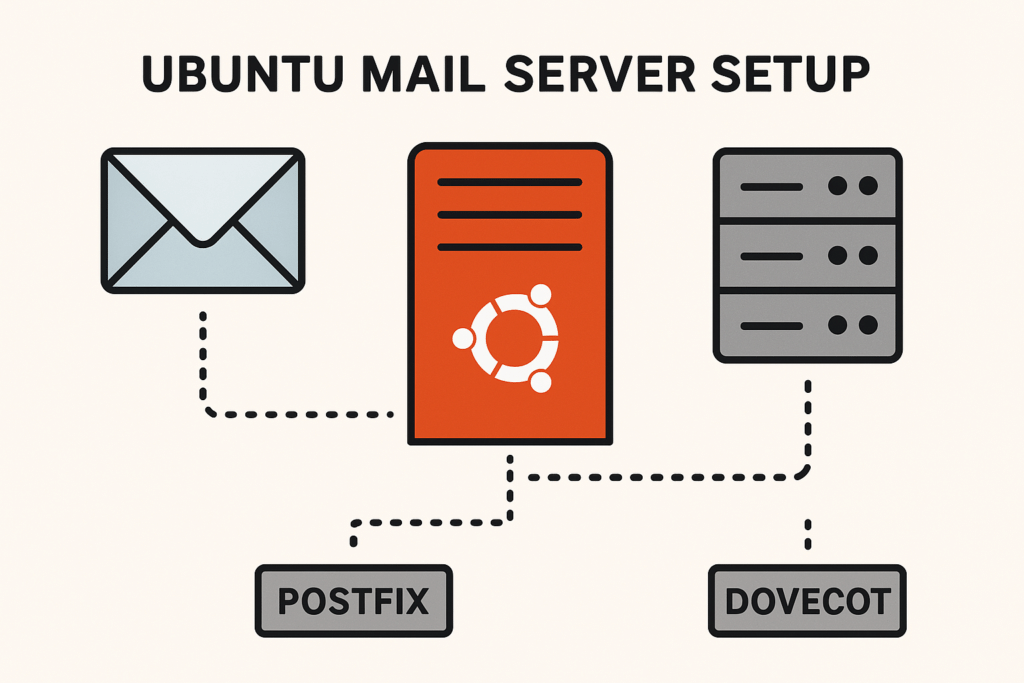

Introduction to Mail Server Architecture
Building a mail server on Ubuntu Server 24.04 LTS involves configuring both sending and receiving mail server components. This includes using Postfix as the Mail Transfer Agent (MTA) and Dovecot for mail delivery and retrieval. Properly setting up these components ensures reliable email handling and adherence to security practices.
Prerequisites for Ubuntu 24.04 LTS
Before starting the mail server setup, ensure that your Ubuntu Server 24.04 LTS is fully updated. You’ll need SSH access, a static IP address, and system administration privileges. Begin with updating system packages:
sudo apt update && sudo apt upgrade -yConfiguring DNS and Reverse DNS
Proper DNS configuration is critical. Ensure that your domain’s A and MX records point to your server’s IP address. Additionally, configure a PTR record for reverse DNS lookup as follows:
// Example update for BIND's named.conf.local
zone "example.com" {
  type master;
  file "/etc/bind/db.example.com";
};
Installing Postfix on Ubuntu Server 24.04 LTS
Postfix is a popular choice for an MTA on Linux. To install it, run:
sudo apt install postfixFollow the on-screen setup prompts, and select “Internet Site” for mail configuration type. Verify your installation using:
postconf -nSetting Up Maildir with Dovecot
Dovecot will manage mail delivery to the user’s Maildir. Install it using:
sudo apt install dovecot-core dovecot-imapdConfigure Dovecot to use Maildir by editing /etc/dovecot/conf.d/10-mail.conf:
mail_location = maildir:~/MaildirConfiguring Authenticated Submission on TCP Port 587
To prevent unauthorized use, configure Postfix for authenticated email submission on port 587. Modify /etc/postfix/master.cf to enable submission:
submission inet n      -       y       -       -       smtpd
  -o smtpd_tls_security_levels=encrypt
  -o smtpd_sasl_auth_enable=yes
Enabling TLS for Email Security
TLS encrypts email transactions. Generate a TLS certificate with Certbot:
sudo apt install certbot
sudo certbot certonly --standalone -d mail.example.com
Configure Postfix for TLS in /etc/postfix/main.cf:
smtpd_tls_cert_file=/etc/letsencrypt/live/mail.example.com/fullchain.pem
smtpd_tls_key_file=/etc/letsencrypt/live/mail.example.com/privkey.pem
Configuring SPF, DKIM, and DMARC
SPF, DKIM, and DMARC enhance email authenticity. Update your domain’s DNS with SPF and DMARC records. Use opendkim to configure DKIM:
sudo apt install opendkim opendkim-tools
// Add the following to /etc/opendkim.conf
KeyTable /etc/opendkim/KeyTable
Abuse Prevention Mechanisms
Prevent abuse and spam by setting rate limits and configuring Postfix policies in /etc/postfix/main.cf:
smtpd_recipient_restrictions =
  reject_unauth_destination,
  reject_rbl_client sbl.spamhaus.org
Firewall and Port Configuration
To secure your mail server, only necessary ports should remain open. Here are the typical rules using UFW:
sudo ufw allow 25/tcp
sudo ufw allow 587/tcp
sudo ufw allow 993/tcp
Monitoring and Logging
Log and monitor email activity using tools such as rsyslog. Dovecot and Postfix logs are often found in /var/log/mail.log and /var/log/dovecot.log. Regular log review helps in identifying issues quickly.
Verification Steps and Testing
After setup, verify configuration integrity with:
postfix check
doveconf -n
sudo ss -tulpen | grep LISTEN
Use openssl s_client to test SSL/TLS configurations:
openssl s_client -connect mail.example.com:587 -starttls smtpTroubleshooting Common Issues
Use logs for troubleshooting. Ensure correct permissions and ownership for critical files, and test network connectivity with telnet:
telnet mail.example.com 25Check /etc/postfix/main.cf and /etc/dovecot/dovecot.conf for syntax errors.
Maintenance and Rollback Procedures
Regular updates and backups are essential. Backup configuration files before making changes. Rollback can be achieved by restoring these files:
cp /etc/postfix/main.cf.bak /etc/postfix/main.cfEnsure to re-test and verify post-backup restoration for smooth operations.