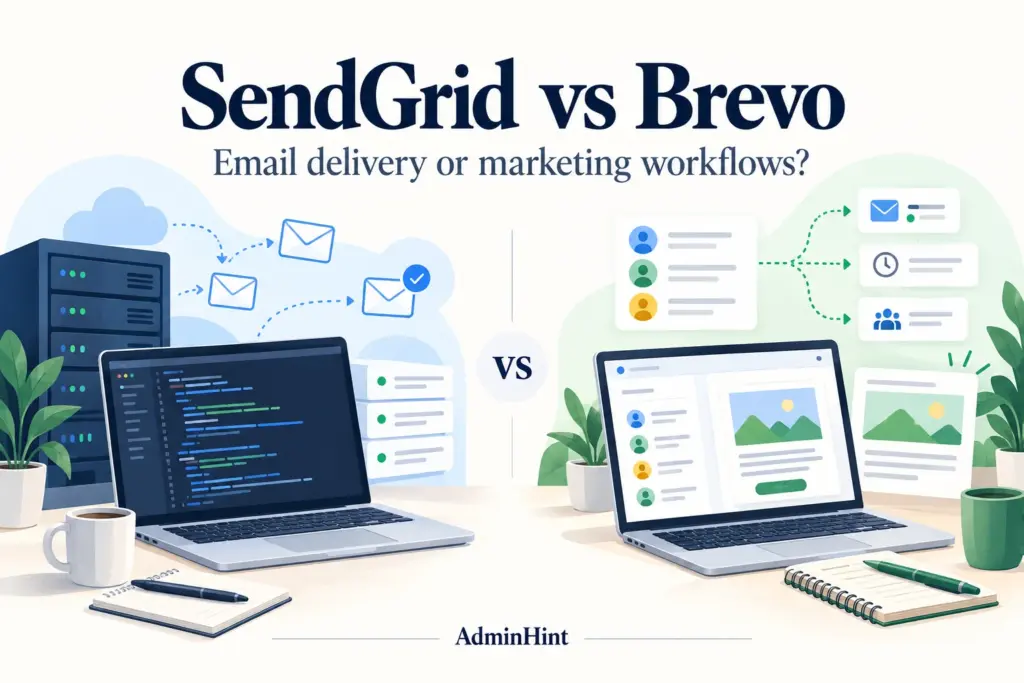

A customer needs a password reset. Your marketing team needs to send this week’s newsletter. Both messages are email, but the work behind them is quite different.
That is the most useful way to approach SendGrid vs Brevo. Start with who will operate the system and which messages must go out, then compare plans. Otherwise, it is easy to buy a sending service when you wanted a campaign workspace—or pay for a marketing suite when your application only needs an email API.
Research checked: 13 October 2026. This comparison uses official pricing and documentation. We have not run a controlled deliverability test or a hands-on product benchmark. Recommendations are editorial judgments; illustrations are conceptual rather than product screenshots.
First, separate the two email jobs
Transactional email responds to a specific customer action: an order confirmation, account notification, or password reset. Marketing email promotes something to a selected audience, usually through a newsletter or campaign. A welcome message can fall into either category depending on its content and purpose.
SendGrid has two separately priced products: Email API and Marketing Campaigns. Buying the API plan does not automatically buy the Marketing Campaigns subscription. Brevo offers campaign tools alongside a transactional platform accessible through SMTP and an API. Its documentation also distinguishes promotional automation messages from purely informational ones. Sources: SendGrid Marketing Campaigns pricing and Brevo’s email-type guide.
| Your requirement | SendGrid | Brevo |
|---|---|---|
| Application notifications | Email API or SMTP integration. | Transactional API or SMTP integration. |
| Subscriber campaigns | Marketing Campaigns has its own editor, contact tools, and pricing. | Campaign creation and contact tools sit in the wider marketing workspace. |
| Delivery-event handling | Event Webhook for delivery and engagement events. | Transactional webhooks for events from application email. |
| Journey automation | Check Marketing Campaigns plan access; custom logic can also live in your application. | Automation workflows; check the selected plan’s contact limits. |
| What should you price? | API sends and any separate Marketing Campaigns usage. | Sending volume, contact storage, feature tier, and optional services. |
Technical sources: SendGrid API setup, SendGrid Event Webhook, Brevo transactional API, and Brevo transactional webhooks.
Pricing: these starting plans do different jobs
The table lists advertised starting prices in US dollars for monthly billing. It is not a same-volume quote. Before buying, select the same send volume and required features in each provider’s calculator.
| Product or plan | Starting price | Important distinction |
|---|---|---|
| SendGrid Email API trial | $0 for 60 days | 100 emails per day; a timed trial, not an ongoing free tier. |
| SendGrid Email API Essentials | $19.95/month | Volume and features affect the final price. |
| SendGrid Email API Pro | $89.95/month | Includes dedicated-IP and subuser features; check your selected volume. |
| SendGrid Marketing Campaigns Basic / Advanced | $15 / $60 per month | Separate from Email API; contact storage and sends affect pricing. |
| Brevo Free | $0/month | 300 sends per day; unused daily sends do not roll over. |
| Brevo Starter | $9/month | Entry tier: 5,000 monthly sends and up to 500 stored contacts. |
| Brevo Standard | $18/month | Entry tier: 5,000 monthly sends and up to 500 stored contacts; a different feature tier. |
Sources: SendGrid Email API pricing, SendGrid Marketing Campaigns pricing, and Brevo’s official plan guide. Starting prices exclude applicable taxes, optional services, and SendGrid overages. Confirm current checkout terms.
For cost planning, write down your peak day as well as your average month. A product release, sale, or account migration can produce a short burst of messages that a monthly average hides. Also count the hours spent maintaining integrations; that cost will not appear on either pricing page.
SendGrid: pros and cons
Why choose SendGrid?
SendGrid is worth evaluating when your application already owns the business logic: which event triggers an email, what data enters the template, and what to do if a message fails. Its API documentation and client libraries give developers a documented integration path. The Event Webhook can bring delivery events back into your systems.
- Fits application-owned workflows: useful when email is one step in an existing product process.
- Delivery events can feed your operations: a team can use webhook data to investigate issues and update its own records.
- A separate marketing option exists: SendGrid is not limited to transactional messages, though the campaign workspace has separate pricing.
Where SendGrid needs a closer look
- Someone must own the integration: template changes, errors, credentials, retries, and monitoring remain operational work.
- The API price is not the whole marketing quote: budget separately if you also need Marketing Campaigns.
- Advanced controls change the plan decision: if your architecture depends on subusers or dedicated IPs, evaluate the appropriate tier rather than the lowest advertised price.
Our take: a product team should test SendGrid against a real application event, not just a manually sent sample email. Ask whether the right template, recipient data, event logs, and failure handling all work together.
Brevo: pros and cons
Why choose Brevo?
Brevo is worth evaluating when the people creating campaigns also need to manage subscribers and customer journeys. Its automation documentation covers workflow setup and management. The transactional API means developers can evaluate it for application mail as well, rather than assuming a second provider is always necessary.
- A practical marketing workspace: useful when a business team wants to own campaign creation and audience management.
- A free plan for small-scale evaluation: you can test a modest workflow without starting a paid subscription.
- Campaigns and application email can use the same vendor: potentially helpful when maintaining several services would create unnecessary work.
Where Brevo needs a closer look
- Free does not mean unrestricted: daily sending and automation allowances can be unsuitable for a launch-day workload.
- Paid tiers have contact limits too: do not assume every paid plan includes unlimited contact storage just because pricing emphasizes email volume.
- Feature and add-on costs matter: the plan guide lists logo removal as an add-on for Starter and included on Standard. Price the actual branding and collaboration setup you need.
Our take: a marketing team should test a complete subscriber journey—signup, consent recording, segmentation, a campaign, and an unsubscribe. An attractive email editor is only one part of that job.

Who should go with SendGrid, and who should go with Brevo?
| Your situation | Try first | Check before committing |
|---|---|---|
| SaaS product with application-owned notifications | SendGrid | Templates, event visibility, failure handling, and peak send volume. |
| Small business sending subscriber newsletters | Brevo | Contact storage and whether the whole campaign fits the selected allowance. |
| Marketing team building subscriber journeys | Brevo | Automation access, contact limits, and the team’s editing workflow. |
| Developer team with existing audience and orchestration systems | SendGrid | Whether API integration removes work without duplicating your existing tools. |
| Business wanting marketing and transactional mail from one vendor | Brevo | Operational separation, reporting, permissions, and capacity for both message types. |
These are recommendations, not capability boundaries. A developer team may find Brevo’s API entirely suitable. A marketing team already using SendGrid may prefer its campaign tools. Migration has a cost; switching providers should solve an identified problem.
Deliverability: do not buy a promise of guaranteed inbox placement
We have no controlled evidence here that either service delivers your messages better. An API accepting a message, or a receiving server accepting it, does not prove the recipient saw it in the inbox.
SendGrid’s architecture guidance recommends separating marketing and transactional streams, including through subusers where available. That is a useful design question for either provider: how will a promotional campaign’s problems be kept from disrupting critical account messages?
Check Google’s sender requirements for authentication and applicable unsubscribe rules. Maintain consent and suppression records, monitor complaints, and test your real configuration. A dedicated IP is a responsibility to manage, not an automatic upgrade in results.
What to test before buying
- Define your workload. Separate application messages from campaigns and estimate the busiest day.
- Run one complete application flow. Test template data and delivery events using your own test recipients. Keep API credentials on the server.
- Run one complete subscriber flow. Confirm that signup, audience selection, and opt-out behavior match your intended process.
- Test ownership. Can the marketer change a campaign without a developer, and can the developer investigate a failed notification?
- Compare the full quote. Include stored contacts, sends, automation, seats, branding, log access, and any separate subscription.
- Plan migration. Preserve consent evidence and unsubscribe records; avoid duplicate sends during the switch.
Our verdict
Start with SendGrid when your developer team wants email delivery to fit into an application it already operates. Start with Brevo when your business team needs a place to manage subscribers, campaigns, and journeys.
The deciding question is simple: which option lets the right person complete the whole email job with fewer handoffs? Price that workflow, test it, and let the result drive the choice.
Related reading: Cold mailing vs bulk mailing and email marketing automation tools. If your actual task is outbound prospecting rather than subscriber marketing, see our Instantly vs Smartlead comparison.