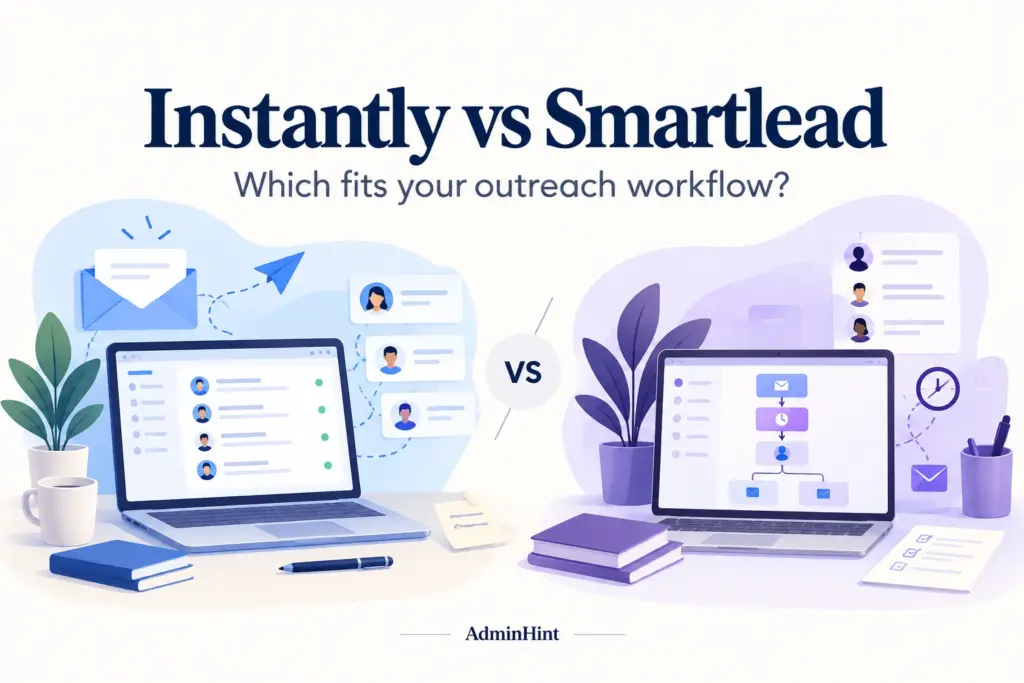

A campaign can look simple until you need to import leads, manage several mailboxes, route replies, honor opt-outs, and report results to a client. This Instantly vs Smartlead comparison explains how the two outreach platforms differ, what each one does well, where costs can grow, and how to test the right fit in 2026.
Neither product can replace a sound prospecting process or guarantee inbox placement. The better choice depends on your workflow: do you want more sales functions in one ecosystem, or do you need flexible campaign operations that connect with an existing stack?
Instantly vs Smartlead at a glance
Instantly and Smartlead are tools for automated email outreach. In plain terms, they help you send planned sequences from connected mailboxes, organize leads, and manage follow-ups. They are not the same as a permission-based newsletter platform, where subscriptions, consent records, and broadcast lists are central.
| What you need | Instantly | Smartlead |
|---|---|---|
| Prospect discovery | Offers prospect search and enrichment through its credits-based products. | Offers prospecting tools, with allowances and pricing that should be checked separately. |
| Campaign sending | Supports multiple connected email accounts on paid outreach plans. | Supports multiple connected email accounts on paid plans. |
| Reply management | Provides Unibox, although reply access depends on the selected plan. | Provides Master Inbox with filters for campaigns, clients, and team members. |
| CRM direction | Includes an optional CRM for teams that want prospecting and pipeline work together. | Usually makes more sense alongside an existing CRM or sales stack. |
| Agency operations | Offers workspace and agency features that vary by plan. | Emphasizes client organization, campaign separation, and integrations. |
This table is a starting point, not a winner announcement. Features, limits, and plan names can change, so confirm the current details on the Instantly pricing page and Smartlead pricing page before you subscribe.
Pricing: compare the complete outreach cost
Do not compare only the advertised monthly subscription. Your real cost may include domains, mailbox hosting, email verification, prospect data, CRM access, extra workspaces, and services for client accounts. A plan that looks cheaper at checkout can cost more once your actual workflow is included.
Compare these items for both tools:
- Monthly billing versus annual billing: make sure you are comparing the same payment option.
- Stored contacts: a contact limit is usually a storage allowance, not a fresh monthly supply of new prospects.
- Monthly sends: follow-ups count, so a sequence with several steps uses more capacity than its first message suggests.
- Connected mailboxes: unlimited connections do not mean that domains, inboxes, or sending infrastructure are free.
- Reply features: previewing replies and replying inside a shared inbox may be available on different plans.
- Agency access: client seats, white labeling, permissions, and workspaces may create separate charges.
For example, imagine a consultant with 800 prospects and two mailboxes. A basic plan may be enough if the consultant supplies the list and handles replies alone. An agency managing 12 clients needs to price client access, permissions, separate reporting, and the time required to keep each workspace organized.
Instantly and Smartlead both publish pricing information, but the exact figures and inclusions can change. Use the official pages above as the final source for a purchase decision, and test the plan you would actually buy rather than relying on a more generous trial tier.
Instantly: a broader sales workflow
Instantly is worth considering when you want prospect discovery, outreach, and an optional sales workspace in one product ecosystem. Its CRM documentation describes tools for opportunity stages, tasks, calls, SMS, and a unified view. That combination may reduce tool switching for a founder or small sales team.
Where Instantly can fit well
- One owner manages the whole process: a founder can find prospects, launch a sequence, review a reply, and move an opportunity forward without changing systems.
- You are building a sales process from scratch: an optional CRM can provide a home for interested contacts when you do not already have one.
- You want prospecting in the same ecosystem: credits-based search and enrichment may be convenient when list building is part of the campaign routine.
- You expect the operation to grow: higher plans may add collaboration or agency capabilities, depending on current plan rules.
What to check before choosing it
Do not assume the entry outreach plan includes every product area. Outreach, prospecting credits, and CRM functions can be separate purchasing decisions. Review each allowance instead of treating the product name as one unlimited bundle.
Reply handling also deserves a practical test. Instantly may show reply previews in Unibox while reserving in-platform replies for a higher plan. If your team expects to answer every conversation from one shared inbox, verify that exact permission before paying.
Consider a small business owner who receives 20 positive replies in a week. If those replies must be assigned, tagged, and moved into a sales pipeline, the cheapest sending plan may not be the cheapest workable plan. The useful comparison is the first tier that supports the entire handoff.
Smartlead: flexible campaign operations
Smartlead is a strong candidate when campaign management, client separation, and integration matter more than keeping prospecting and CRM functions in one product. Its Master Inbox is designed to organize replies, while its documented API covers areas such as campaigns, leads, sending accounts, and reply workflows.
Where Smartlead can fit well
- Agencies manage several clients: filters, client views, and reply ownership can help reduce accidental mixing of accounts.
- Your CRM already works: a connected outreach tool may be more useful than adopting another pipeline system.
- Operations need repeatable campaign control: an API can help move leads, assign sending accounts, and connect campaign activity to other systems.
- You are running a focused pilot: a lower starting tier may be suitable when you already have a compliant list and a clear reply process.
What to check before choosing it
An API is not automatically an efficient integration. Someone must map fields, handle failed requests, protect credentials, monitor syncs, and decide what happens when a person opts out. If your team cannot maintain that connection, a simpler manual process may be safer.
Agency costs also need a full review. Client workspaces, white labeling, seats, permissions, and reporting can affect the total bill. Ask whether the plan supports the way you sell service, not just the number of mailboxes you want to connect.
For example, an agency may use one workspace for a software client and another for a local services client. The important question is not merely whether both campaigns can send. It is whether the right staff member can see each reply, whether clients see only their own data, and whether reports are easy to produce.
Deliverability depends on more than the platform
Deliverability means the likelihood that a message reaches a recipient’s mailbox rather than being rejected, filtered, or marked as spam. A sending platform can provide useful controls, but it cannot promise that every campaign will reach the inbox.
Domain authentication, mailbox quality, recipient relevance, bounce rates, complaint rates, message content, and provider policies all matter. Google publishes sender guidelines that include authentication and additional requirements for relevant bulk-sending patterns. Review the rules that match your activity before launching.
Warm-up tools and placement tests can support an evaluation, but they are not proof of future performance. A small test with one audience does not establish that one vendor is universally better. Compare similar audiences, domains, messages, and sending conditions if you test results.
Also separate cold outreach from permission-based bulk email. A newsletter needs subscription management, clear consent handling, and unsubscribe controls suited to that relationship. Read our guide to cold mailing and bulk mailing before choosing a tool for a newsletter program.
Practical trial checklist for 2026
The best trial follows one complete journey. Do not judge a dashboard by how many buttons it displays; judge whether your team can complete the work without hidden manual steps.
- Define the job: write down the audience, offer, list source, sequence, follow-up schedule, reply owner, and success condition.
- Import a small test list: check field mapping, duplicates, missing data, and whether prospects can be removed cleanly.
- Connect the intended mailboxes: confirm authentication, account permissions, sending limits, and mailbox separation.
- Build a short sequence: include a follow-up, a stop condition, and a clear opt-out path. Do not send to real prospects until your review is complete.
- Test a reply: see whether a positive reply, a question, a negative reply, and an opt-out reach the correct person.
- Test the handoff: move one qualified contact into your CRM or next sales stage and record what remains manual.
- Check agency controls: confirm that a client or colleague can access the intended workspace without seeing unrelated data.
- Calculate the complete bill: include data, verification, domains, mailboxes, seats, workspaces, and optional features.
- Record time spent: measure setup, campaign review, reply handling, reporting, and troubleshooting rather than focusing only on send volume.
Instantly documents a trial with specific limits, and Smartlead also publishes trial limitations. Because those terms can change, read each vendor’s current signup information. A trial is most useful when it reflects the plan and workflow you expect to use after purchase.
Instantly vs Smartlead: who should choose which?
| Your situation | Start by testing | Deciding question |
|---|---|---|
| You are a founder without a CRM and need prospecting plus sales tracking. | Instantly | Does the combined workflow justify the cost of outreach, credits, and CRM features? |
| You already have a list and need a focused sending pilot. | Smartlead | Can you complete reply handling and reporting within the selected plan? |
| You run campaigns for multiple clients. | Smartlead | Do workspaces, permissions, client access, and reporting fit your service model? |
| You want one ecosystem for prospecting and pipeline work. | Instantly | Can a real reply move smoothly from inbox to opportunity? |
| You have an established CRM and technical integration support. | Smartlead | Can the API or automation pass the right data reliably and securely? |
These recommendations are starting points, not permanent labels. A solo operator may prefer Smartlead if the list and CRM are already in place. An agency may prefer Instantly if its workspace model reduces operational work. Choose the tool that removes your current bottleneck without creating a larger one.
Frequently asked questions
Is Instantly or Smartlead better for beginners?
Instantly may be easier to evaluate when a beginner wants prospecting, outreach, and sales tracking in one ecosystem. Smartlead can be a better starting point when the user already has a list, a CRM, or a clearly defined campaign process.
Which tool is better for agencies?
Smartlead deserves a close look for agencies that need client separation, reply ownership, and integrations. Instantly may still fit an agency, but you should test its workspace, permissions, and client features against your delivery model.
Does either platform guarantee better email deliverability?
No. Deliverability depends on authentication, mailbox and domain quality, list relevance, complaints, bounces, content, and provider rules. Treat warm-up and testing features as tools, not guarantees.
What should I compare before subscribing?
Compare the first plan that supports your complete workflow, including replies, contacts, sends, integrations, client access, and reporting. Then add the cost of domains, mailboxes, data, verification, and any optional services.
Final recommendation
Choose Instantly when you want to evaluate prospect sourcing, outreach, and an optional CRM together. Choose Smartlead when campaign operations, client organization, and connection to an existing sales stack are the main priorities.
The most reliable next step is simple: run the same small, compliant workflow in both products. Import a test list, send a controlled sequence, process a reply, record an opt-out, complete the CRM handoff, and price every required service. That hands-on comparison will tell you more than a generic feature score and will make your 2026 decision easier to defend.
Related reading: email marketing automation tools.
Smartlead for focused cold email outreach
If your priority is outbound campaign operations rather than a broader sales suite, you can compare Smartlead for cold email outreach. Review mailbox support, sequencing, reply handling, and your sending safeguards before choosing a tool.
For readers comparing the two platforms, this Smartlead option is provided through an affiliate link; the recommendation should still be based on your workflow and budget.