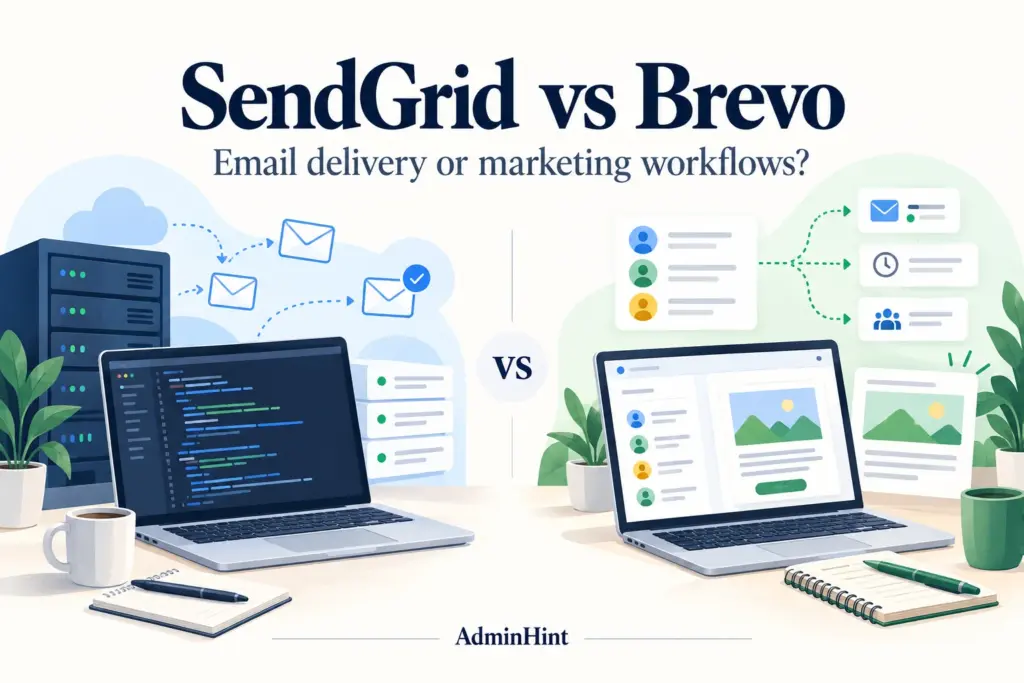

A password reset and a promotional newsletter may both arrive in an inbox, but they are not the same email job. This SendGrid vs Brevo comparison explains how each platform handles transactional email, campaigns, automation, pricing, and delivery so you can choose with less guesswork in 2026.
The best choice depends less on which brand has the longer feature list and more on who needs to operate the system. Developers may prioritize an API, event logs, and reliable application workflows. Marketing teams may care more about contact management, visual campaign tools, segmentation, and email marketing automation.
SendGrid vs Brevo starts with the email job
Before comparing plans, separate your messages into two broad groups. Transactional email is triggered by an individual action, such as creating an account, placing an order, or requesting a password reset. Marketing email is sent to an audience for a promotional, educational, or relationship-building purpose.
Think of transactional email as a receipt printer connected to your checkout system. It needs to react quickly and pass the correct customer data. Marketing email is closer to a publishing desk: someone selects an audience, prepares content, schedules a message, and reviews results.
- Application notifications: password resets, invoices, shipping updates, security alerts, and account changes.
- Subscriber campaigns: newsletters, product announcements, event invitations, and promotional offers.
- Automated journeys: welcome sequences, re-engagement messages, onboarding steps, and follow-up campaigns.
SendGrid offers an Email API and SMTP integration for application messages, while its Marketing Campaigns product is a separate consideration. Brevo combines campaign tools with transactional email access through an API and SMTP. The exact features, limits, and prices depend on the plan, so confirm them on the official SendGrid Email API pricing page, SendGrid Marketing Campaigns pricing page, and Brevo plan guide.
| Requirement | SendGrid | Brevo |
|---|---|---|
| Application-triggered email | Email API or SMTP integration. | Transactional API or SMTP integration. |
| Newsletter campaigns | Marketing Campaigns provides campaign features and has separate plan considerations. | Campaign tools sit within the broader marketing workspace. |
| Delivery events | Event Webhook data can be sent back to your systems. | Transactional webhooks provide event information for application email. |
| Audience automation | Review Marketing Campaigns access or keep custom logic in your application. | Automation workflows are available, subject to plan limits. |
| Main pricing questions | Consider API volume and any separate marketing subscription. | Consider sends, stored contacts, features, and optional services. |
For technical details, see the SendGrid API setup guide, SendGrid Event Webhook documentation, Brevo transactional API documentation, and Brevo transactional webhook documentation.
Pricing and plan limits in 2026
Pricing should be compared by workload, not by the lowest number shown on a pricing page. A provider may charge according to monthly sends, daily sending limits, stored contacts, feature tiers, seats, dedicated infrastructure, or add-on services. A plan that looks inexpensive for a newsletter may not be the right fit for high-volume application messages.
SendGrid separates Email API pricing from Marketing Campaigns pricing. That distinction matters if your business needs both password resets and newsletters. Do not assume that purchasing an API plan automatically includes the full campaign workspace, or that a marketing subscription includes every developer feature you need.
Brevo uses a different mix of limits. Depending on the plan, you may need to consider monthly email volume, contact storage, automation access, branding, and daily sending allowances. A free plan can be useful for evaluating a small workflow, but it may not suit a major launch or a growing contact database. Review the Brevo free-plan FAQ before building a process around it.
There is an important difference between a daily cap and a monthly allowance. If a plan permits a fixed number of messages per day, unused capacity generally does not become a larger allowance on the next day. For example, a business with a 2,000-person newsletter cannot assume that several quiet days will create enough capacity for a single larger send.
Build a simple cost sheet that includes:
- Average monthly volume and the busiest expected day.
- Transactional messages during a product launch, sale, or migration.
- Number of stored contacts and expected list growth.
- Automation, reporting, collaboration, branding, and support requirements.
- Developer time for integration, monitoring, template changes, and troubleshooting.
- Applicable taxes, currency conversion, and optional services for your region.
Prices and limits can change, so treat any advertised starting price as a starting point rather than a quote. Compare the same volume and the same feature set at checkout. Businesses in the United States, Canada, and Europe should also check billing currency, taxes, and data-handling requirements before committing.
SendGrid for API email and developer-owned workflows
SendGrid is a strong starting point when your application already owns the business logic. Your product decides when to send, which template to use, what customer data to include, and how to react when a message is delayed or rejected.
The Email API gives a development team a structured integration path. The Event Webhook can return delivery and engagement events to your systems, which is useful when your support or operations team needs to investigate a failed notification.
SendGrid advantages
- Good fit for application workflows: email can be one step in an existing order, account, or notification process.
- Useful event visibility: delivery events can support internal logs, support tools, and operational reviews.
- Flexible ownership: developers can keep business rules and customer data inside systems they already manage.
- Separate marketing option: teams can evaluate campaign tools without treating application email and newsletters as identical workloads.
SendGrid trade-offs
- Integration work remains yours: someone must manage credentials, templates, retries, monitoring, and error handling.
- Marketing costs may be separate: budget for Marketing Campaigns if your team also needs newsletters or audience tools.
- Operational design matters: teams must decide how to separate promotional traffic from critical account messages.
Example: A software company sends an account alert when a user changes a security setting. The application passes the user name, event time, and secure account link to a template. If delivery fails, the webhook updates an internal record so support can investigate without asking a marketer to search a campaign dashboard.
This model suits a technical team that wants control. It may be less comfortable for a small business where a marketing coordinator needs to create and manage most messages without developer involvement.
Brevo for campaigns, contacts, and email marketing automation
Brevo is a strong starting point when a business team needs to manage subscribers, campaigns, and automated journeys in one workspace. Its transactional API means developers can also evaluate Brevo for application email rather than assuming they need two vendors.
The main appeal is workflow ownership. A marketer may be able to create a campaign, select a segment, schedule the send, and review results without opening a code repository. That can reduce handoffs for a small company with limited technical staff.
Brevo advantages
- Campaign-centered workflow: useful for newsletters, announcements, and promotional communication.
- Contact management: audience information and campaign activity can be handled in the same general workspace.
- Automation features: teams can evaluate welcome sequences, follow-ups, and other customer journeys.
- Transactional access: application teams can test the API before adding another email provider.
Brevo trade-offs
- Limits still matter: free or entry plans may have daily, monthly, contact, or automation restrictions.
- Feature tiers differ: compare the exact editing, branding, reporting, and collaboration tools your team needs.
- Technical requirements do not disappear: application email still requires secure credentials, testing, error handling, and monitoring.
Example: A local retailer wants to welcome new subscribers, send a monthly newsletter, and follow up with people who clicked a product announcement. A marketing coordinator can manage the audience and campaign workflow, while a developer can connect the signup form and transactional order messages.
Brevo may also suit a business that wants one vendor for both marketing and transactional messages. Still, test whether one shared workspace gives you the right permissions, reporting, operational separation, and capacity. Convenience is helpful only when it does not create confusion between promotional and essential messages.
Which platform fits common business situations?
The right answer depends on the person responsible for the complete workflow. Use these starting points, then test the real process rather than relying only on a feature checklist.
| Situation | Evaluate first | Check before choosing |
|---|---|---|
| SaaS product with application notifications | SendGrid | API integration, event visibility, templates, failure handling, and peak volume. |
| Small business sending regular newsletters | Brevo | Contact storage, sending allowance, editor workflow, and unsubscribe handling. |
| Marketing team building subscriber journeys | Brevo | Automation access, segmentation, reporting, and team permissions. |
| Developer team with its own customer database | SendGrid | Whether the API reduces work and fits existing monitoring systems. |
| Business seeking one email vendor | Brevo | Separation of marketing and transactional traffic, permissions, and capacity. |
Example: An online course company sends a receipt after payment, onboarding reminders during the first week, and a monthly content newsletter. The receipt is transactional, the reminders are automated communication, and the newsletter is marketing email. The company should test all three paths because a platform that handles one well may not provide the preferred workflow for the others.
Email deliverability is a shared responsibility
Neither platform can guarantee that every message reaches the inbox. A successful API request does not prove that a recipient saw the email, and a receiving server accepting a message does not guarantee prominent inbox placement.
Email deliverability means the practical ability of messages to reach the intended mailbox while maintaining a healthy sending reputation. Your list quality, consent process, authentication, content, complaint rate, suppression handling, and sending behavior all affect the result.
Separate promotional and transactional streams where practical. A large campaign should not make it harder for customers to receive password resets or order notices. SendGrid discusses this type of architecture in its email strategy guidance, but the principle applies to either provider.
Before launch, configure the authentication records recommended by your provider and review Google sender requirements. Keep evidence of consent, honor unsubscribe requests, maintain suppression lists, and monitor bounces and complaints. A dedicated IP is not a shortcut; it creates an additional reputation-management responsibility.
A practical test before you switch providers
Run a small but complete trial with the people who will operate the system. A manual test email is not enough because it skips the handoffs where many problems appear.
- Map the messages. List account notifications, receipts, newsletters, automated journeys, and one-off campaigns separately.
- Record the workload. Estimate average monthly sends, busiest-day volume, contact growth, and seasonal peaks.
- Build one application flow. Trigger a realistic password reset or order confirmation. Confirm template data, links, authentication, and failure handling.
- Build one campaign flow. Import or create test contacts, define a segment, send a campaign, and verify the unsubscribe experience.
- Test the team handoff. Let a marketer edit a campaign and let a developer inspect a failed application message.
- Review event data. Confirm that bounces, complaints, delivery events, and unsubscribes reach the people or systems that need them.
- Compare the full cost. Include contacts, sends, automation, seats, branding, support, taxes, and engineering time.
- Plan migration safely. Preserve consent and suppression records, authenticate the new sender, and avoid duplicate messages during the transition.
Message map
1. Password reset: application trigger, urgent, transactional
2. Monthly newsletter: audience selection, scheduled, marketing
3. Welcome sequence: signup trigger, automated journey
4. Delivery failure: event log, support or operations review
Keep test credentials on the server, never in browser code or public repositories. Use test recipients and confirm that the final unsubscribe and suppression behavior matches your compliance process before sending to a real audience.
Frequently asked questions about SendGrid vs Brevo
Is SendGrid or Brevo better for transactional email?
Both can be evaluated for transactional email through an API or SMTP integration. SendGrid may be the more natural starting point for a developer-owned application workflow, while Brevo may appeal when the same team also wants campaign and contact tools. Test your actual event flow before deciding.
Is Brevo cheaper than SendGrid?
There is no universal winner because the platforms measure plans differently. Compare the same monthly volume, peak-day needs, contact count, automation features, and marketing requirements. Also include any separate SendGrid Marketing Campaigns subscription or Brevo add-on in the estimate.
Can I use SendGrid or Brevo for newsletters?
Yes, both platforms offer ways to evaluate newsletter and campaign workflows, but the relevant products and plan limits differ. Check the editor, segmentation, scheduling, consent records, unsubscribe process, reporting, and contact limits rather than judging by sending volume alone.
Which email platform should a small business choose in 2026?
A small business that mainly needs newsletters and visual automation should evaluate Brevo first. A business with a developer-managed application and critical notification flows should evaluate SendGrid first. If you need both, run the complete test checklist and choose the platform that gives the right people ownership with fewer handoffs.
Our verdict
SendGrid is the better starting point when email needs to fit into an application that developers already operate. Brevo is the better starting point when a business team needs to manage subscribers, campaigns, and automated journeys in one workspace.
The practical takeaway is simple: choose the workflow, not the logo. Separate transactional messages from marketing campaigns, compare the complete 2026 cost, and test one real application flow plus one real subscriber journey. Then select the platform that lets your team send, monitor, and improve email with the least unnecessary friction.
For related guidance, read our articles on cold mailing vs bulk mailing and email marketing automation tools. If your goal is outbound prospecting rather than subscriber marketing, see our Instantly vs Smartlead comparison.
When your use case is outbound outreach
SendGrid and Brevo are the focus of this comparison. If you are evaluating a separate cold-email workflow, you can also review Smartlead for outbound campaigns and compare its fit against your deliverability and reply-management requirements.