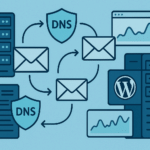
SPF, DKIM, and DMARC are the three DNS-based controls that help mailbox providers verify marketing email. They do different jobs: SPF authorizes sending servers, DKIM signs messages, and DMARC tells receiving providers how to handle failures.
1. Inventory every sender first
List your newsletter provider, transactional service, CRM, support platform, and any self-hosted server. Record the From domain, return-path domain, DKIM selector, and whether each service supports custom authentication. Do not copy a provider’s SPF include until you have confirmed that the account actually sends mail for your domain.
2. Publish one SPF record
SPF is a TXT record at the root of your sending domain. A simplified example is:
v=spf1 include:example-esp.com include:transactional.example -allReplace the example mechanisms with the values documented by your providers. Keep one SPF record per domain and watch the DNS lookup limit. If you use subdomains for different streams, authenticate each stream separately.
3. Enable DKIM signing
Your email platform will give you a selector and a public key, commonly as a TXT or CNAME record. A selector might look like news._domainkey.example.com. Publish the exact value, wait for DNS propagation, then send a test message and inspect the headers for dkim=pass. Use a custom DKIM domain where the provider supports it so the signature aligns with your visible From domain.
4. Roll out DMARC gradually
Start with monitoring:
v=DMARC1; p=none; rua=mailto:[email protected]; adkim=s; aspf=sReview aggregate reports for at least several sending cycles. Fix legitimate sources before enforcement. Then move to p=quarantine and, when failures are understood, p=reject. Keep a separate reporting mailbox and avoid sending reports to an address that cannot receive them.
5. Troubleshoot common failures
| Symptom | Likely cause | Next check |
|---|---|---|
| SPF softfail | Missing sender include or multiple SPF records | Inspect the published TXT records and provider list |
| DKIM none | Selector missing or signing disabled | Compare the selector in the message header with DNS |
| DMARC fail | From domain is not aligned | Check SPF/DKIM alignment, not only pass status |
| Unexpected quarantine | Unknown service is sending | Match the source IP and service to your inventory |
Provider notes
Brevo, SendGrid, Mailchimp, and similar providers each publish their own SPF and DKIM values. Follow the provider’s current documentation rather than copying a record from another domain. For self-hosted sending, you must also manage reverse DNS, TLS, bounce handling, suppression, and reputation.
Verification checklist
- There is one SPF record for each sending domain.
- Every legitimate platform signs DKIM.
- DMARC reports are delivered to a monitored mailbox.
- Test messages show aligned SPF or DKIM.
- Unsubscribes and suppression lists are working.
FAQ
Can I publish more than one SPF record?
No. Combine approved mechanisms into one record and stay within the DNS lookup limit.
Does DMARC replace SPF and DKIM?
No. DMARC uses SPF and DKIM results plus alignment to apply your policy.
How long should I monitor before enforcement?
Use enough sending cycles to capture every legitimate source. For an active domain, two to four weeks is a practical starting point.
For the next step, review our email deliverability checklist and the guide to self-hosted email marketing.